API Generation
Overview
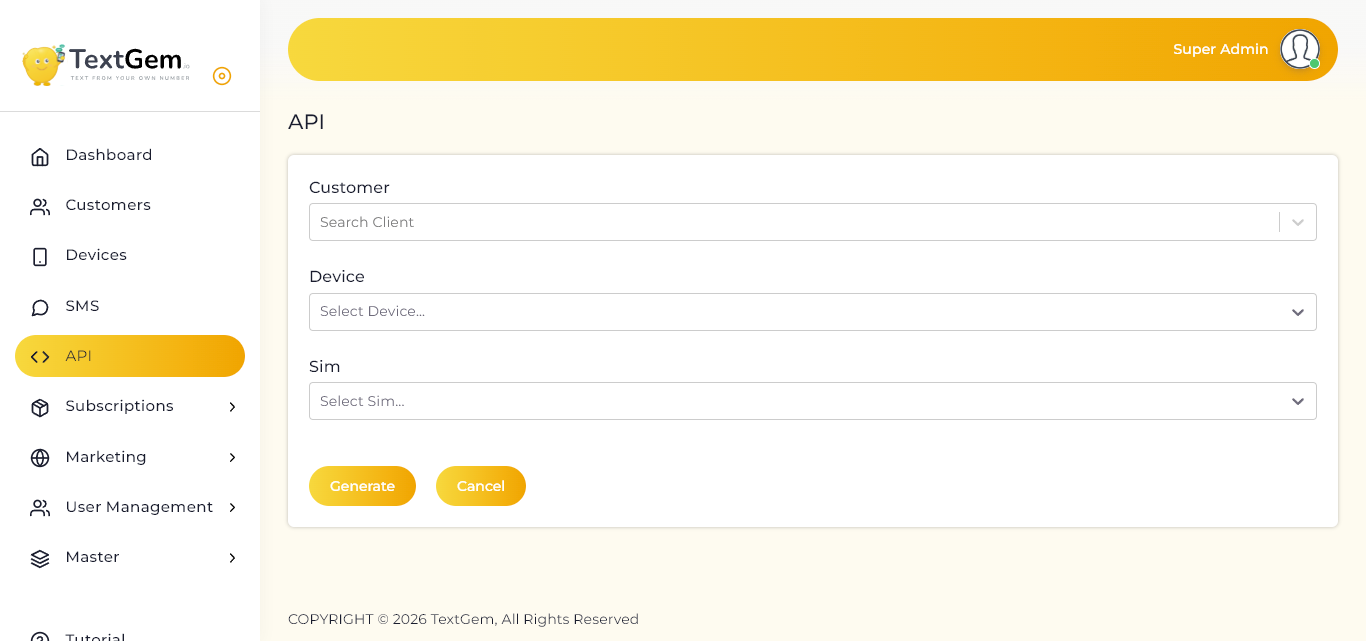
The API generation page simplifies the process of creating API access for connected devices. Before generating an API, you must select the customer, device, and SIM card that will be associated with the API credentials.
Select a Customer
The Customer field is used to select the customer for whom the API will be generated.
To Select a Customer
Validation
If no customer is selected, the system displays a validation message indicating that the customer is required.
Select a Device
The Device dropdown lists all available devices associated with the selected customer.
To Select a Device
Benefits
Select a SIM Card
The SIM dropdown displays the SIM cards available on the selected device.
To Select a SIM
Selecting the appropriate SIM ensures that messages are sent using the intended mobile network.
Generate API Credentials
Once all required fields have been completed, you can generate the API credentials.
To Generate an API
The system creates API credentials that can be used to integrate external applications with TextGem.
Cancel the Process
If you do not wish to continue, click Cancel to exit the page without generating an API.
Validation
The system validates all required fields before generating the API.
Common Validation Rules
If any required field is missing, the system displays an appropriate validation message.