SMS Management
Overview
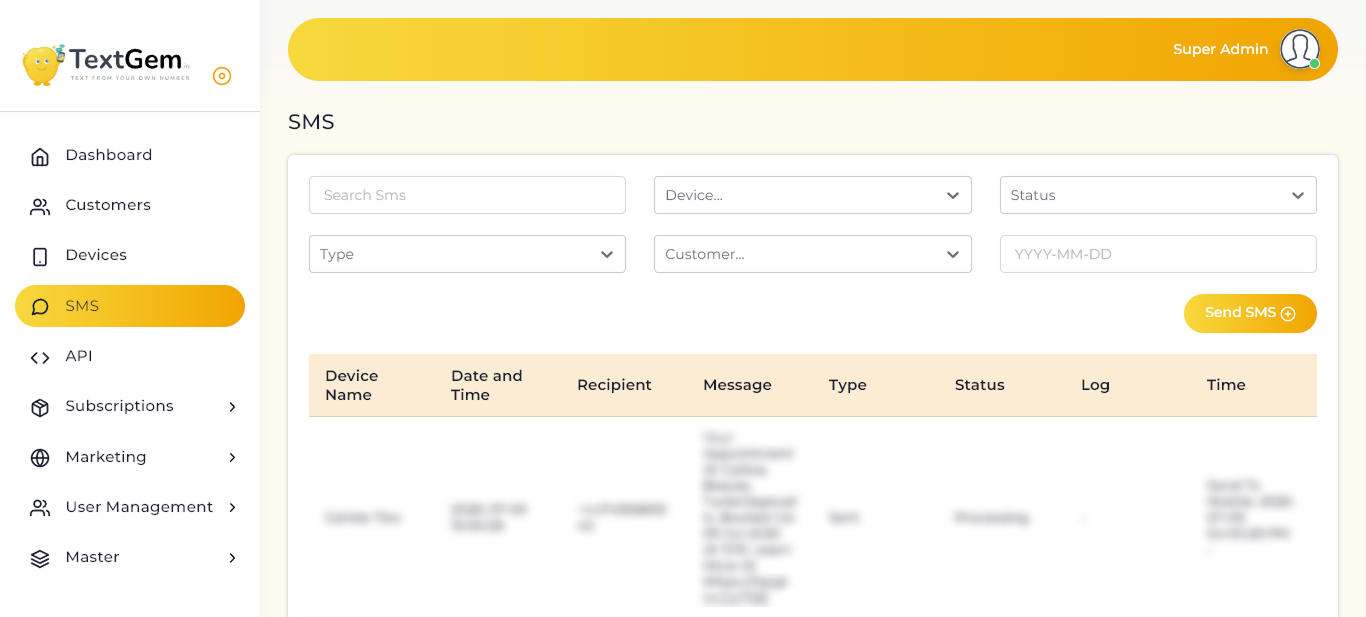
The SMS page displays detailed information about outgoing messages, including the sending device, recipient, message content, delivery status, processing logs, and timestamps. It serves as a centralized location for monitoring SMS activity and troubleshooting delivery issues.
SMS Log
The SMS table contains a complete record of messages sent through the platform.
Available Information
Each SMS record includes:
This information helps administrators verify message delivery and monitor SMS performance.
Search SMS
Use the Search SMS field to quickly locate a specific message.
To Search SMS Records
Benefits
Quickly locate message history
Filter SMS Records
The SMS page includes several filters that help narrow search results.
Available Filters
Using these filters makes it easier to analyze messaging activity across multiple devices and customers.
Send SMS
The Send SMS button allows administrators to send a new SMS directly from the platform.
To Send an SMS
Message Status
The Status column displays the current delivery state of each SMS.
Common Status Values
Monitoring message status helps identify delivery issues quickly.
Delivery Logs
The Log column provides additional information about the SMS delivery process.
Log Details May Include
These logs are useful for diagnosing failed or delayed messages.
Processing Time
The Time column records important timestamps during the SMS lifecycle.
Available Information
These timestamps help administrators monitor message processing speed and delivery performance.
Pagination and Record Display
The SMS page supports pagination for managing large message histories.
Features
Best Practices
Sending an SMS Overview
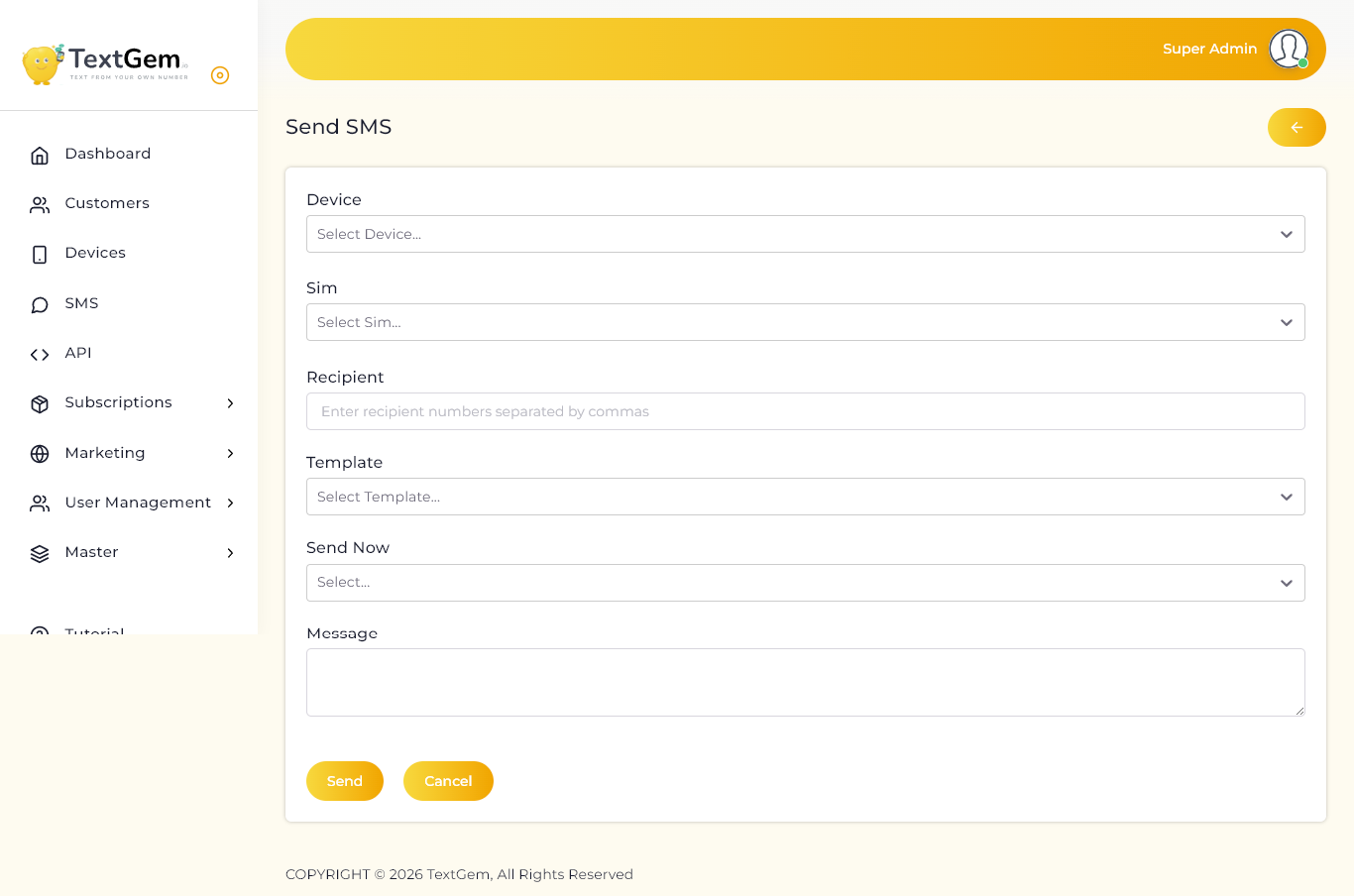
The Send SMS page provides a simple interface for composing and delivering SMS messages. It supports sending messages to one or multiple recipients and helps ensure that messages are delivered through the selected connected device.
Select a Device
The Device field allows you to choose the Android device that will be used to send the SMS.
To Select a Device
Why It Matters
Select a SIM Card
The SIM field displays the SIM cards available on the selected device.
To Select a SIM
Benefits
Enter Recipient Numbers
The Recipient field is used to enter one or more mobile numbers.
To Add Recipients
+919876543210, +919812345678, +919900112233
Select a Message Template
The Template dropdown allows you to use a predefined SMS template.
To Use a Template
Benefits
Choose When to Send
The Send Now option determines when the SMS should be delivered.
Available Options
This provides flexibility for planned campaigns and scheduled reminders.
Compose Your Message
Use the Message field to type the SMS content.
Guidelines
Send the SMS
Once all required information has been entered, the message is ready to send.
To Send a Message
The SMS will be processed and recorded in the SMS log.
Cancel the Operation
If you do not want to send the message, click Cancel to discard the current form and return to the previous page.