Countries
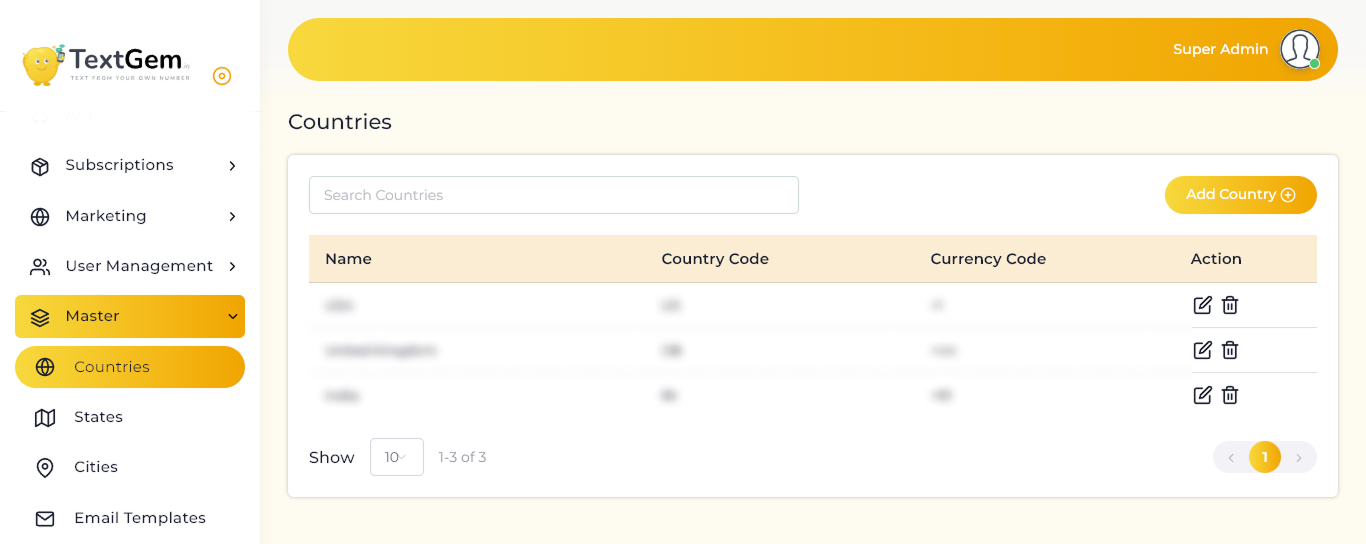
Countries Overview
Country records are used when entering mobile numbers, configuring location-based information, and maintaining related state and city data. Keeping this information accurate helps ensure that contact details and regional settings are properly configured.
Viewing Countries
The Countries table displays the following information:
For example, the list may include USA with US and +1, United Kingdom with GB and +44, and India with IN and +91.
Searching Countries
Use the Search Countries field to find a country record quickly.
Editing a Country
To update an existing country:
Deleting a Country
To remove a country record:
Before deleting a country, ensure that it is not being used by existing users, contacts, states, cities, or mobile-number records.
Pagination and Record Display
The page includes controls for managing the country list.
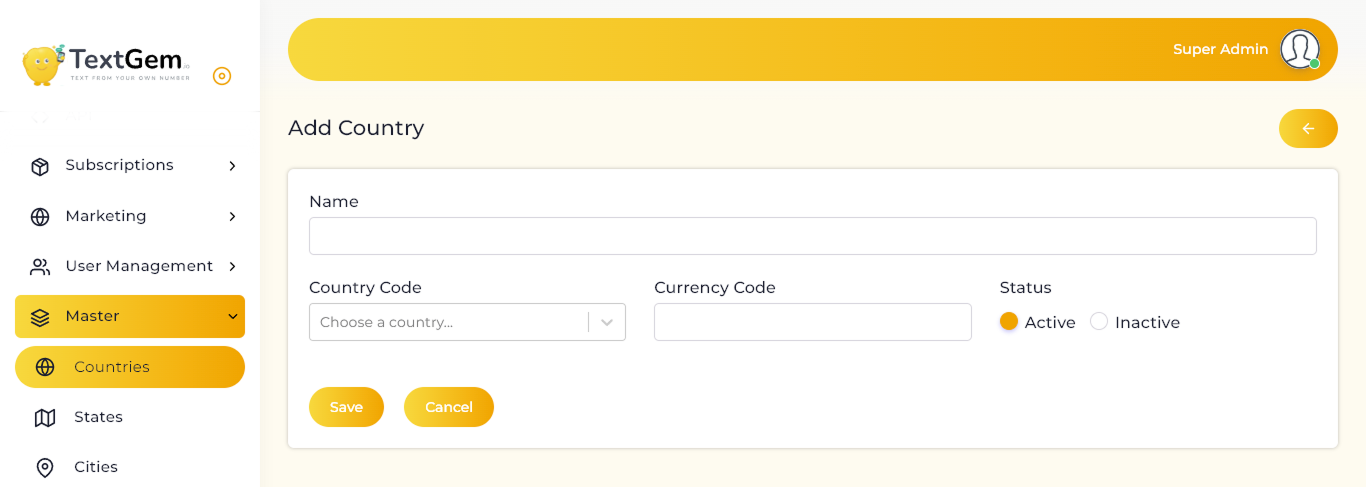
Add Country Overview
When adding a country, enter its name, select the appropriate country code, provide the required currency or dialing code, and set its status. Active countries can be used in relevant forms and dropdowns across the platform.
Country Details
Name
Example:
Country Code
Currency Code
Enter the required code for the country. This field can be used to store the country’s currency-related or dialing-code information, based on your platform configuration.
Example:
+91
Status
Select the status for the country record:
Saving the Country
To create the country record:
The new country will appear in the Countries list after it is saved successfully.
Use Cancel to discard the entered details without creating the record.
Returning to the Countries List
Use the back arrow at the top-right of the page to return to the Countries page.
Make sure the country record is saved before leaving the page.
Best Practices