Knowledge BaseTutorial
GuideTutorial
The Tutorial page provides a guided walkthrough for using the TextGem mobile application. It helps users understand the main setup process and learn how to connect their device for SMS services.
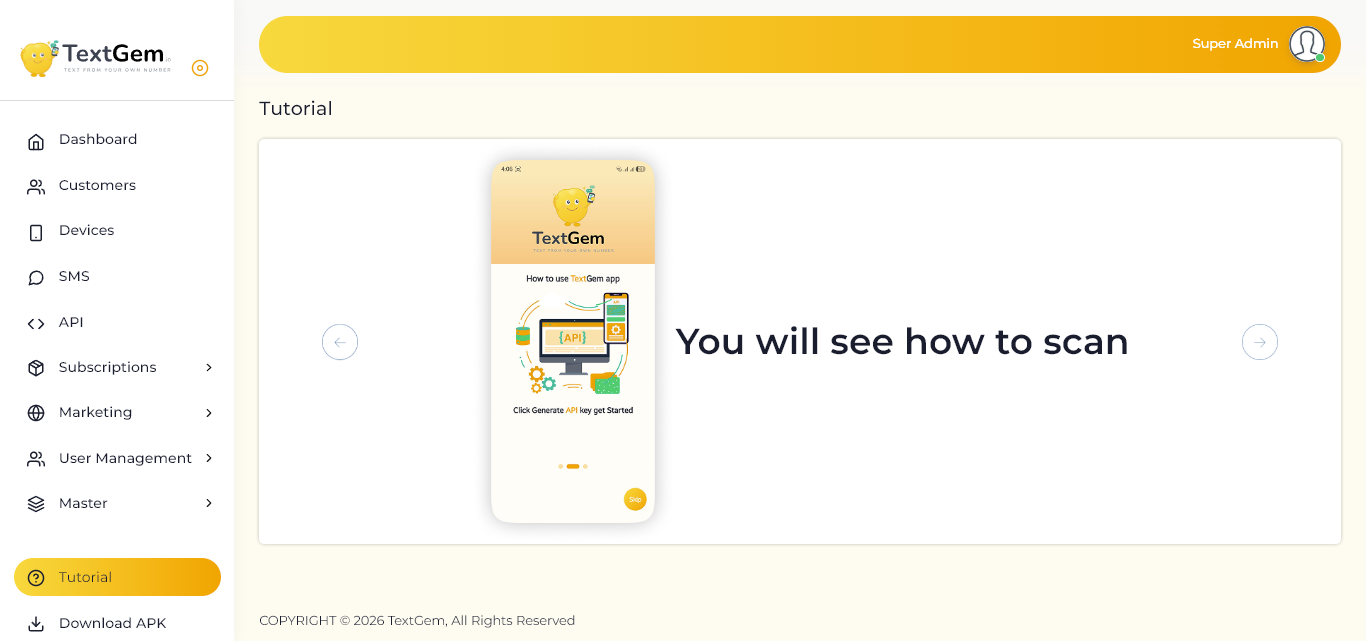
Tutorial Overview
The tutorial is displayed as a step-by-step slider. Each slide explains an important part of the TextGem app setup process using visual instructions.
Use the navigation arrows to move between tutorial screens and follow the instructions shown on each slide.
Scan Setup Guide
The current tutorial slide explains how to scan and connect the TextGem mobile app.
The tutorial screen displays the message:
You will see how to scan
This guide helps users understand how to scan the required code and connect their mobile device with the TextGem platform.
Navigate Through the Tutorial
Use the navigation controls to view different tutorial steps.
Previous Slide
Click the left arrow to return to the previous tutorial screen.
Use this option if you want to review an earlier instruction.
Next Slide
Click the right arrow to move to the next tutorial screen.
Continue through each slide until the complete setup process is finished.
Tutorial Progress Indicator
The dots displayed below the mobile preview indicate your current position in the tutorial.
The highlighted dot shows the active tutorial slide.
Other dots represent additional tutorial steps.
Use the arrows to move between slides.
Purpose of the Tutorial
The tutorial helps users:
Understand how the TextGem mobile app works
Learn how to scan and connect a device
Follow the setup process correctly
Avoid common connection issues
Get started with SMS services quickly