Roles
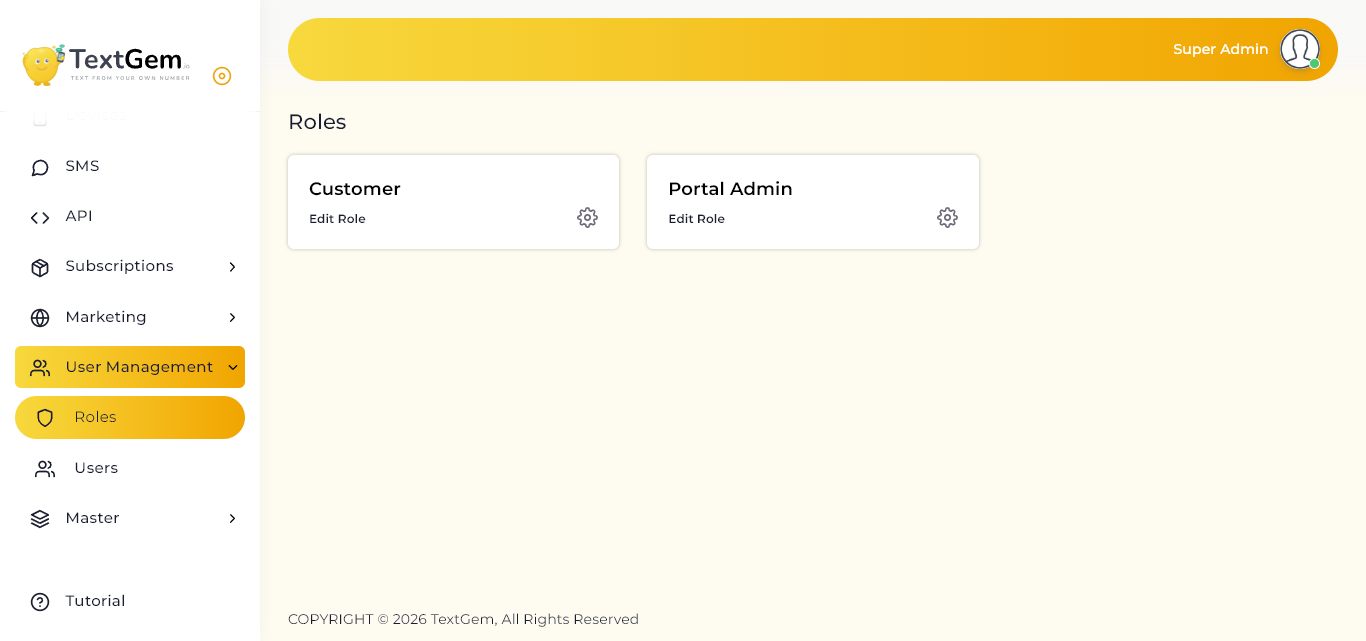
Roles Overview
Each role is assigned a set of permissions that controls access to platform features. This helps ensure that users only see and manage the sections relevant to their responsibilities.
The available roles are displayed as separate cards on the Roles page.
Available Roles
Customer
The Customer role is intended for users who access the platform for their own messaging, device, or account-related activities.
Customer permissions may include access to:
Customers cannot access administrative settings or manage other users unless additional permissions are assigned.
Portal Admin
The Portal Admin role is intended for users responsible for managing portal-level operations.
Portal Admin permissions may include access to:
This role should only be assigned to trusted users who need administrative access.
Role Management Best Practices
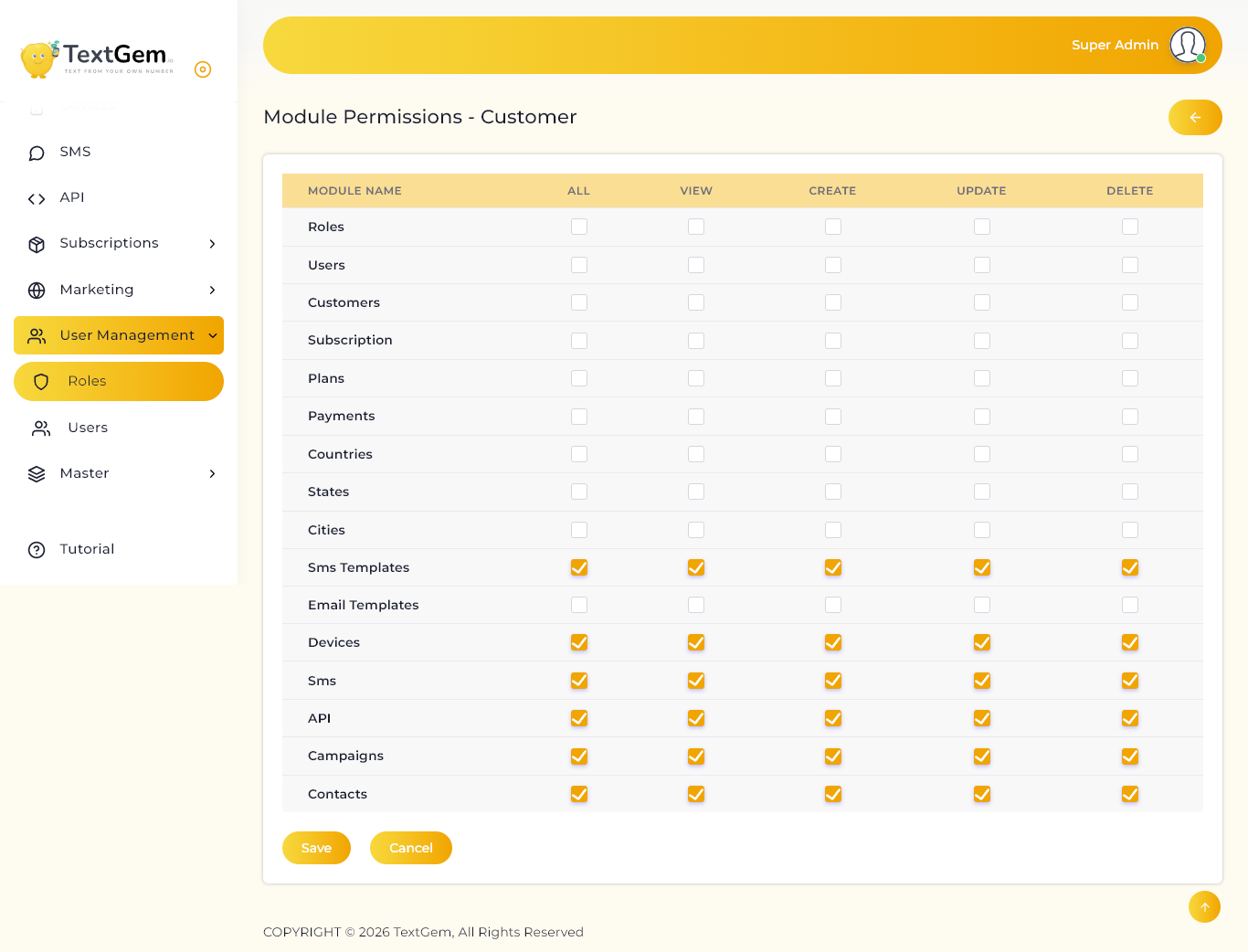
Module Permissions Overview
Permissions are managed module by module. For each module, you can allow the role to view, create, update, or delete records. You can also grant all available permissions for a module at once.
This helps ensure that users assigned to the role only have access to the features and actions required for their responsibilities.
Permission Columns
Each module includes the following permission options:
Selecting All enables complete access for that module. Use individual permissions when more limited access is required.
Available Modules
Permissions can be configured for modules such as:
Additional modules may appear depending on the platform configuration.
Updating Module Permissions
To update permissions for a role:
For example, if a customer should only view SMS templates, enable View for the SMS Templates module and leave Create, Update, and Delete unchecked.
Permission Management Best Practices
Overview
Permissions are displayed in a module-wise table. Each row represents a platform module, while each column represents an action that can be allowed for the Portal Admin role.
In the current configuration, the Portal Admin role has full permissions enabled for the listed modules.
Permission Types
The following permissions can be assigned to each module:
When all permission checkboxes are selected, the Portal Admin role can fully manage that module.
Modules with Portal Admin Access
The Portal Admin role can be configured to manage modules such as:
The available module list may vary depending on the platform configuration.
Updating Portal Admin Permissions
To modify permissions for the Portal Admin role:
For example, if Portal Admin users should manage users but should not delete them, enable View, Create, and Update for the Users module while leaving Delete unchecked.
Returning to Roles
Use the back arrow at the top-right of the page to return to the Roles page.
Ensure that permission changes are saved before leaving the page.